
10 Best Email Newsletter Software For 2026 (My Go-To + Top Picks)


I setup my first email newsletter more than 10 years ago.
Since then, I’ve jumped around between different newsletter software a lot. I’ve used most popular platforms in my business for at least 6 months.
And I’ve migrated my email list more times than I’d like to remember.
Seriously. I’d like to block out those experiences entirely. Migrating an email list is an absolute nightmare. Especially if you use any kind of automation.
In this post, I’m comparing the best email newsletter software so you can start things off right. And avoid all the tediousness of migrating your newsletter later.
The best email newsletter software tools compared
My top picks:
- MailerLite (My go-to): My top pick for most creators. It strikes the best balance between a clean “frictionless” editor and advanced automation that actually works without a steep learning curve. There’s a free plan, too. Yay!
- Moosend (Fastest for simple setups): If you hate cluttered dashboards, this is it. I found it to be the fastest for building a newsletter from scratch, specifically because the UI stays out of your way. And it has some pretty powerful automation you should consider using. Thank me later.
- GetResponse (The “business in a box” ): The clear choice if you need more than just email. I recommend this for anyone that wants to avoid technical overwhelm. It’ll handle email, webinars, landing pages, ecommerce, and more.
#1 – MailerLite
MailerLite is my top pick. I’ve used it on multiple websites for 5+ years and my partner uses it for her own site.

It has the best balance of everything. It’s easy to use, feature-rich, and great for automation. It offers an excellent set of email templates, a powerful drag & drop email builder, superb deliverability rates… I could go on. And I will because there’s more you need to know.
It’s an all-in-one email marketing platform, so it’s not just for designing and sending newsletters. There’s a whole lot more you can do with it.
For instance, you can use it to build websites, blogs, landing pages, signup forms, and all the other stuff you need to grow your list and collect leads.
Then there’s email verification features, automation features, ecommerce features, optimization features…everything email senders could possibly need in one place.
The drag-and-drop newsletter editor is really easy to work with. It’s loaded with awesome, pre-made content blocks that you just drop onto the page and customize as needed. That includes interactive blocks like product blocks, carousel galleries, accordion tabs, event RSVPs, and more.
And get this: You can even personalize your newsletters by dynamically targeting content blocks to specific audience groups, so subscribers only see content that’s relevant to them. Cool, huh?
The newsletters you build are mobile-friendly and adaptive, so they automatically adjust to fit neatly on any screen size, which is super important these days.
You don’t have to build your newsletters from scratch, either. There are 100+ professionally designed templates that you can modify in minutes. Plus, you can create and save your own to your personal template library.
Alternatively, you can build your newsletter using content blocks. This makes it super easy to get all of the design elements you want into your newsletter.
Aside from the drag-and-drop editor, there’s also a rich-text and custom HTML version of the editor, which comes in useful if you need more flexibility. With the custom HTML editor, you can code newsletters from scratch with features like snippets and custom variables.
My favorite feature, though, is Smart sending. It’s a new AI feature that allows you to perfectly time your newsletters and other emails so that they land in your subscribers’ inboxes when they’re most likely to open and engage with them.
Instead of scheduling your newsletter to get sent at a specific time, just choose a date and hit Smart sending, and MailerLite will automatically choose the optimal time for each individual subscriber within that 24-hour period.
It works by analyzing your past email campaigns. Looking at things like open rates and clicks to work out when each subscriber is most active, and uses that data to predict the best time to send.
One more thing worth mentioning: MailerLite is one of the few newsletter platforms that vets new account signups on their platform to weed out spammers. That matters, because on shared IPs, one rotten apple can spoil the whole barrel.
Pros and cons
Read our MailerLite review.
#2 – Moosend
Moosend is one of the best value-for-money options for small businesses. It’s super affordable, with plans starting at under 10 bucks a month for unlimited email campaigns/sends. And I love its UI.
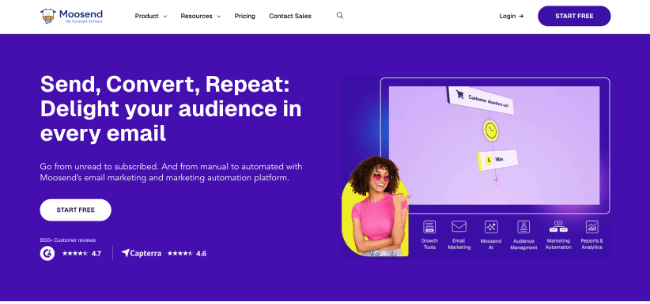
When I first tested Moosend, I set my expecations based on the price which was lower than most other tools. Then, when I opened up the UI, I was like “Oh, wow, these tools can be affordable and really good.”
It genuinely made me wonder what all the other brands were playing at with their pricing. And the same for user interfaces. I found my way around Moosend in minutes. But there is an issue that I’ll get onto in a moment.
You can use Moosend to build stylish email newsletters, as well as landing pages, subscription forms, and automation workflows.
I like its simple, intuitive user interface. Particularly the drag-and-drop newsletter editor. You just drag in layouts and items (content blocks) from the toolbar on the left, then customize them in the preview window.
If you need more flexibility and control, you can switch to the Code mode to edit the HTML directly.
There’s also a Comments section, which allows you to leave comments directly in the newsletter to keep everyone on the same page. This will come in super useful if you need to collaborate with a team.
Another cool feature: Moosend logs regular snapshots of your newsletter as you edit it and stores them. So if you make a mistake along the way, you can revert to an earlier version at any time from the History tab.
You can build your newsletters from scratch or choose a template from Moosend’s extensive library. And you can automate your email newsletter delivery by building sophisticated workflows and sequences.
Moosend is also better than most other email newsletter platforms when it comes to personalization.
It has a lot of powerful features for creating highly targeted email campaigns, including dynamic content (so you can personalize your emails for different audience segments), AI-powered personalized product recommendations (based on customer actions and other factors), and more.
My only issue? Because Moosend is newer than most tools on this list, third-party tools like landing page builders & opt-in form tools are less likely to have a direct integration. That’s not Moosend’s fault. A lot of these tools built out their integrations before Moosend existed and now they can’t be bothered to update them. There are work arounds though and neweer tools are more likely to integrate directly with Moosend.