
10 Best Email Newsletter Software For 2026 (Pros And Cons)


If you are sending email newsletters, the software you use matters more than most people realize.
The right platform can make everything easier. Writing, sending, and getting results. The wrong one can slow you down and cost you subscribers and sales.
So I tested them.
I went hands on with the leading email newsletter tools to see which ones actually help you create, send, and optimize your emails without the headaches.
In this post, I’ll break down my top picks. You will see who each platform is best for, where it falls short, and what you need to know to choose the right solution for your business.
The best email newsletter software tools compared
TL;DR:
- MailerLite – Best overall.
- Moosend – Best UI.
- GetResponse – Best all-in-one tool.
#1 – MailerLite
MailerLite is my top pick. It has the best balance of everything. It’s easy to use, feature-rich, and great for automation. It offers an excellent set of email templates, a powerful drag & drop email builder, superb deliverability rates… I could go on. And I will because there’s more you need to know.

It’s an all-in-one email marketing platform, so it’s not just for designing and sending newsletters. There’s a whole lot more you can do with it.
For instance, you can use it to build websites, blogs, landing pages, signup forms, and all the other stuff you need to grow your list and collect leads.
Then there’s email verification features, automation features, ecommerce features, optimization features…everything email senders could possibly need in one place.
The drag-and-drop newsletter editor is really easy to work with. It’s loaded with awesome, pre-made content blocks that you just drop onto the page and customize as needed. That includes interactive blocks like product blocks, carousel galleries, accordion tabs, event RSVPs, and more.
And get this: You can even personalize your newsletters by dynamically targeting content blocks to specific audience groups, so subscribers only see content that’s relevant to them. Cool, huh?
The newsletters you build are mobile-friendly and adaptive, so they automatically adjust to fit neatly on any screen size, which is super important these days.
You don’t have to build your newsletters from scratch, either. There are 100+ professionally designed templates that you can modify in minutes. Plus, you can create and save your own to your personal template library.
Alternatively, you can build your newsletter using content blocks. This makes it super easy to get all of the design elements you want into your newsletter.
Aside from the drag-and-drop editor, there’s also a rich-text and custom HTML version of the editor, which comes in useful if you need more flexibility. With the custom HTML editor, you can code newsletters from scratch with features like snippets and custom variables.
My favorite feature, though, is Smart sending. It’s a new AI feature that allows you to perfectly time your newsletters and other emails so that they land in your subscribers’ inboxes when they’re most likely to open and engage with them.
Instead of scheduling your newsletter to get sent at a specific time, just choose a date and hit Smart sending, and MailerLite will automatically choose the optimal time for each individual subscriber within that 24-hour period.
It works by analyzing your past email campaigns. Looking at things like open rates and clicks to work out when each subscriber is most active, and uses that data to predict the best time to send.
One more thing worth mentioning: MailerLite is one of the few newsletter platforms that vets new account signups on their platform to weed out spammers. That matters, because on shared IPs, one rotten apple can spoil the whole barrel.
Pros and cons
Read our MailerLite review.
#2 – Moosend
Moosend is one of the best value-for-money options for small businesses. It’s super affordable, with plans starting at under 10 bucks a month for unlimited email campaigns/sends. And I love its UI.

You can use Moosend to build stylish email newsletters, as well as landing pages, subscription forms, and automation workflows.
I like its simple, intuitive user interface. Particularly the drag-and-drop newsletter editor. You just drag in layouts and items (content blocks) from the toolbar on the left, then customize them in the preview window.
If you need more flexibility and control, you can switch to the Code mode to edit the HTML directly.
There’s also a Comments section, which allows you to leave comments directly in the newsletter to keep everyone on the same page. This will come in super useful if you need to collaborate with a team.
Another cool feature: Moosend logs regular snapshots of your newsletter as you edit it and stores them. So if you make a mistake along the way, you can revert to an earlier version at any time from the History tab.
You can build your newsletters from scratch or choose a template from Moosend’s extensive library. And you can automate your email newsletter delivery by building sophisticated workflows and sequences.
Moosend is also better than most other email newsletter platforms when it comes to personalization.
It has a lot of powerful features for creating highly targeted email campaigns, including dynamic content (so you can personalize your emails for different audience segments), AI-powered personalized product recommendations (based on customer actions and other factors), and more.
Pros and cons
Read our Moosend review.
#3 – GetResponse
GetResponse started out as a simple email newsletter platform. But over the years, it’s grown into a full-blown email marketing software suite.

Now it’s not just for sending newsletters. You can use it to build sign-up forms, landing pages, websites, conversion funnels, automation workflows, SMS marketing campaigns, pop-ups, paid ads… even host online courses and webinars.
That’s why it’s perfect for small businesses or creators who want to run everything from one dashboard.
But let’s focus on the email features because that’s still what GetResponse does best.
The drag and drop email builder is one of the best I’ve seen. It’s got a ton of flexibility without being overwhelming. There are hundreds of responsive templates to choose from and everything is customisable. You can personalise content with dynamic blocks, add product recommendations, use countdown timers, and more.
GetResponse also has a decent AI Email Generator. Just describe your campaign in a sentence or two, and it’ll generate a full email draft. Including layout, copy, images, and even subject lines. Perfect if you’re short on time or just don’t know where to start.
Automation is another strong point. The visual workflow builder makes it easy to set up complex email sequences with triggers based on user actions. There are pre-built automation templates too (like welcome sequences, cart abandonment, and lead scoring), so you don’t have to build everything from scratch.
Reporting and analytics are good with detailed insights into open/click rates, A/B tests, user engagement over time, and more.
One more thing to mention: GetResponse is one of the few tools that support premium newsletters, so you can sell paid email content to your audience. Plus, sell other types of digital products and content directly via emails and landing pages through product boxes and PayPal & Stripe integrations.
One downside: While GetResponse has a free plan, most of the good stuff is locked behind the higher-tier paid plans. For instance, you’ll need to upgrade to the expensive Creator plan for features like premium newsletters and the website builder.
Pros and cons
#4 – Kit (formerly ConvertKit)
Kit is a solid email newsletter platform with plenty of creator-centric features.

It’s a good choice if you want to earn money with your newsletter by selling subscriptions or digital products, but it feels a little too focused on developing ecommerce functionality when they should be improving their core email-related features.
Kit’s newsletter builder is nothing to shout about. It’s like most other email designers: You start from a blank canvas or choose a pre-made template, then add/remove/move layout and content blocks, and customize them in the editor.
You can save newsletters as templates to your library so you don’t have to design from scratch every time you want to build something new. All pretty straightforward stuff.
You can also create landing pages and forms to collect email sign-ups, plus build email automations, and do all the other essential stuff you’d expect to be able to do with an email newsletter platform. It’s not that any of these features are bad, they’re just not particularly good either. You get the basic functionality you need and not much else.
But where Kit really shines is its monetization and commerce features. It’s designed to make it as easy as possible for creators (i.e., bloggers, coaches, influencers, course creators, etc.) to monetize their audience and sell through email.
So naturally, it comes with a bunch of useful tools for that. You can sell and deliver digital products through Kit, set up a paid newsletter to sell gated, members-only content, and more.
It also has one super unique feature I haven’t seen anywhere else: a built-in Sponsor network.
Creators who use Kit can sign up for the Sponsor network to secure brand deals and partner up with advertisers who want to reach their audience.
You continue creating email content, Kit places sponsorships from your brand partners in your newsletter, and you get paid. So you can earn money from your email content without having to sell anything yourself, or deal with all the headaches that come with that. The catch? Kit takes a 20% cut for placing the sponsorship.
Pros and cons
#5 – AWeber
AWeber is a solid option for beginners who want a no-fuss platform to get their newsletter up and running quickly. It’s not the most advanced tool on this list, but it does the basics really well. And it’s been around long enough to have earned its reputation for reliability.
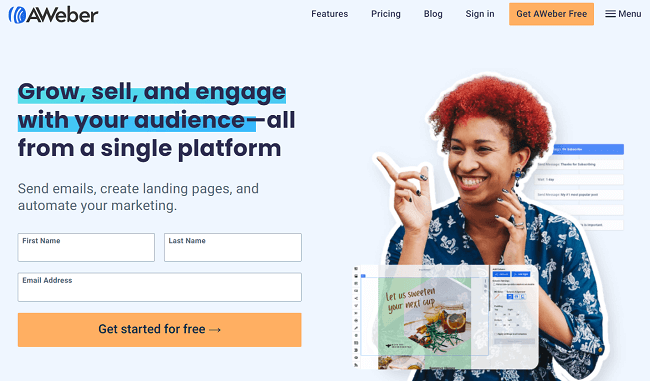
AWeber’s standout feature is its new AI-powered Newsletter Assistant.
A lot of newsletter platforms have incorporated AI these days, but AWeber’s is special. It goes way beyond your typical AI writing tool.
Instead of just generating email copy from a prompt, it can build complete newsletter campaigns tailored to your goals, audience, and voice.
It analyzes your website and previous emails to craft newsletter content that mirrors your unique voice and style, so you get AI-generated content that doesn’t feel like it was written by a robot. It feels personal.
It can even automatically pull product images and links from your website and add them to your newsletters where relevant, or generate stock images from scratch.
And it can do all that on autopilot. You don’t have to manually go in and generate a new newsletter each week. It reminds you when it’s time to send by sending a draft straight to your inbox.
I was blown away by how well it works, and it’s not just me. According to AWeber, users have reported significant improvements in engagement metrics, with some noting a doubling of open rates after switching to the Newsletter Assistant.
Beyond the Newsletter Assistant, AWeber offers a comprehensive suite of features to support your email marketing efforts.
That includes one of the largest email template libraries of any platform I’ve tried (over 500+ templates to choose from).
It also includes a mobile-friendly email editor (so you can build emails on the go when you’re away from your desktop), solid automation capabilities, list segmentation, a landing page builder, and everything else you need to grow and engage your list.
That said, AWeber isn’t without its downsides. The biggest one? Email send limits. A lot of other email newsletter platforms let you send an unlimited number of emails, but AWeber doesn’t.
Instead, you’re capped at sending between 10x–15x your subscriber volume per month, depending on the plan you’re on. This shouldn’t be a problem if you only send one or two emails a week, but could be a dealbreaker if you plan to send a daily newsletter or run multiple campaigns per week.
Pros and cons
Read our AWeber review.
#6 – ActiveCampaign
ActiveCampaign is the best option for course creators, small businesses, or anyone who relies on using automation to sell.

The platform has a higher learning curve than a lot of the other newsletter tools on this list, but its automation functionality is incredibly powerful, which means more conversions ultimately. You get advanced features like split & conditional actions, site & event tracking, split testing, automated sales routing, etc.
They’ve also recently added an AI-powered automation builder, which makes it more accessible for beginners. Instead of building complicated workflows from scratch, you can now enter prompts that set out what you want to achieve and let AI create it for you.
In addition to some of the best automation features on the market, ActiveCampaign also comes with a stellar library of over 250 pre-made email templates (more than you get with most other platforms) and a powerful drag-and-drop newsletter editor.
A/B testing, audience segmentation, and dynamic content help you to optimize your campaigns to maximize email engagements. And you can keep track of all your contacts through the built-in CRM, which works in sync with ActiveCampaign’s site and event tracking to give you a complete picture of all your subscribers.
Aside from emails, you can also use ActiveCampaign to create, send, and manage SMS messages and ads, so it’s more of an omnichannel marketing platform than a dedicated newsletter software.
To be honest, it might be overkill if you just want to build simple email newsletters and don’t need all the fancy features. But if you plan to build highly sophisticated marketing campaigns, you’ll appreciate all those bells and whistles
Pros and cons
Read our ActiveCampaign review.
#7 – Brevo
Brevo (formerly Sendinblue) is one of the most powerful and well-rounded email newsletter platforms out there. Its send-based pricing model sets it apart from other platforms. And it’s a good choice for small-to-mid-sized businesses that want pro-level tools at a reasonable price.

Let’s start with the email features. Brevo has everything you’d expect from a top-tier newsletter platform: a drag-and-drop editor, responsive design templates, personalization tools, and solid automation workflows.
The newsletter editor is super intuitive—great for beginners, but with enough depth for advanced users too. You can start from scratch or use one of Brevo’s pre-built templates, all of which look like they’ve been designed by professionals.
You also get access to AI tools that help you write better emails and subject lines, plus predictive sending, which uses AI to optimize the send time for each individual subscriber based on engagement patterns. This is huge for boosting open and click-through rates.
Deliverability is another strong point. Brevo claims a 99% delivery rate thanks to its solid infrastructure, and from what I’ve seen, that claim holds up. Results may vary, of course.
Brevo’s segmentation features really shine too. You can use filters and attributes to create recipient groups, segment based on audience demographics or purchase history, and create dynamic smart lists that automatically update based on the actions your subscribers take.
Other advanced features like detailed campaign analytics and pre-built automation flows like welcome emails and abandoned cart reminders (which make it easy to set up sophisticated campaigns without spending hours tinkering).
And while this post is focused on email features, it’s worth noting that Brevo does way more than just newsletters.
It also includes tools for managing SMS, WhatsApp, web push notifications, and live chat, plus a built-in CRM, a sales pipeline manager, and even customer data and loyalty platform features. It’s a true all-in-one marketing suite, which makes it a good option if you want to centralize everything in one place.
Now, the pricing. Brevo’s unusual in that it uses send-based pricing. Not subscriber-based like most other platforms. That can be good or bad depending on your needs.
That means you can add unlimited contacts and only pay for the emails you send. This can save you a ton of money if you have a big list but only email infrequently (like weekly or monthly newsletters).
On the flip side, if you send lots of emails frequently (like daily newsletters), the cost can climb quickly. All in all, it’s best suited for teams and small businesses with lower sending volumes or who want more flexibility.
Pros and cons
Read our Brevo review.
#8 – Beehiiv
Beehiiv is another creator-focused email newsletter platform. It’s more robust than Substack with a few extra bells and whistles, but it’s not an all-in-one solution by any means. It’s pretty much just for newsletters.

Like Substack, Beehiiv is a good choice when you’re just starting out, thanks to its generous free plan. You can send unlimited emails and grow your list up to 2,500 subscribers without paying a penny. It’s ideal for beginners who aren’t ready to invest in a paid tool.
The UI is modern and polished. Everything is super intuitive and responsive. Writing and designing a newsletter was surprisingly quick. There’s a WYSIWYG editor with tons of formatting options and the ability to add content blocks like images, quotes, and embeds with ease.
Beehiiv also has built in analytics, audience segmentation, subscription tiers, and a recommendation network that helps creators grow by promoting each other’s newsletters.
You can run paid newsletters directly through the platform, and there’s an Ad Network (sponsor marketplace) where brands and publishers can connect with creators for newsletter ad placements. That’s a big plus for anyone looking to monetize without building a sales team.
But Beehiiv isn’t for everyone. Like Substack, it’s really only for creators and publishers. If you’re running an ecommerce store, a marketing agency, or any kind of business that relies on transactional emails, CRM tools, or sales funnels, you’ll hit limitations fast.
There’s no support for transactional emails, ecommerce-focused content blocks, or advanced automations. And while Beehiiv does have some API and integration options, it’s still lacking native integrations with popular tools like Shopify, Typeform, and Zapier—so you may need workarounds.
Still, if your main goal is publishing high-quality newsletters and growing an audience, Beehiiv is a solid, creator-first platform that keeps things simple without feeling bare bones.
Pros and cons
#9 – Substack
Substack is the best free forever newsletter software for beginners who are just getting started. There are no subscription fees, but the platform takes a 10% cut if/when you start charging for newsletter subscriptions.

It’s designed specifically for writers, bloggers, and content creators who want a straightforward way to publish and monetize email newsletters.
It couldn’t be easier to use. You write your content directly in the Substack editor, hit publish, and it sends out to your email list while simultaneously posting it on your public Substack blog, where the community can read, interact, and engage with it.
It’s simple, clean, and built with the creator economy in mind. That simplicity is both its biggest strength and its biggest limitation.
Substack only does newsletters. There’s no automation builder, no A/B testing, no list segmentation, no personalization, no landing page or form builder.
You get a basic email editor, some limited analytics so you can track performance, and basic list management features, but that’s about it.
So, if you just want to write and hit send, it’s perfect. But if you want to build marketing campaigns, run drip sequences, or do anything more advanced with email, it’s going to feel very restrictive.
Integration is another issue. Very few opt-in form tools or landing page builders integrate natively with Substack, which can make it difficult to grow your list unless you’re comfortable working with code or embedding forms manually.
It’s also not a great choice for ecommerce businesses or digital marketers. You can’t segment customers by purchasing behavior or site activity, add product blocks, build automated sales funnels, or use email to drive conversions strategically. For serious business use cases, you’re going to need a more robust email marketing service (like MailerLite).
Still, for solo creators who just want to wet their feet and try things out, or hobbyists who want to publish and grow a newsletter without worrying about the technical stuff, it’s a solid choice.
Pros and cons
#10 – Mailchimp
Mailchimp is by no means the best newsletter software on this list, but it is one of the most popular, with over 11 million users. And that’s largely thanks to its massive library of integrations.

Pretty much every third-party tool under the sun works with Mailchimp: CRMs, ecommerce platforms, lead gen tools, payment gateways, analytics. You name it.
That ecosystem makes it a convenient option, especially if you’re using a lot of other software in your stack. For instance, if you already have a WooCommerce or Shopify store, you can just install a plugin to deploy Mailchimp in minutes.
But if I’m being brutally honest, while Mailchimp might be a super popular email marketing tool, it feels to me that it’s kind of coasting on its brand name/reputation.
The platform covers all the basics. You get a decent drag-and-drop editor for building emails, solid template options, contact segmentation, and some basic marketing automation tools.
There’s an AI-powered content generator that can help you write email copy and subject lines faster. The interface is clean and relatively easy to use.
You’ll also find tools for A/B testing, signup forms, and campaign reporting. Plus, you can run multichannel campaigns through Mailchimp with support for SMS, social posts, landing pages, and digital ads. So, a lot of features.
But the value-for-money just isn’t there. The starting price is higher than many other platforms that offer a similar feature set, and a lot of Mailchimp’s more advanced features are locked behind its higher-tier plans, which are even pricier.
And I don’t think you get a lot for your money compared to other tools. All of Mailchimp’s key features feel pretty basic. Automation is fairly limited. The email builder, while good, isn’t as flexible or modern as some alternatives, in my opinion. It’s also worth noting that deliverability performance has been hit-or-miss in recent years.
So while Mailchimp might be a safe bet if you need deep integrations and broad compatibility, I’d say that there are better-value platforms out there right now.
Pros and cons
Final thoughts
Those are my top picks for the best newsletter software right now.
There are plenty of solid options out there. The key is choosing the one that matches what you are trying to accomplish, fits your budget, and gives you the features you actually need.
You can’t go wrong with MailerLite if you’re looking for an all-in-one marketing solution that can do it all. But creators and writers on a budget might be better off with the free version of Kit.
Then there are platforms like Substack or Beehiiv, where the focus is purely on publishing and audience growth. These are a solid option for creators but there are some limitations. For example, if you are using third party landing page builders or opt in form tools, you will need to connect them with something like Zapier.
That adds complexity. More moving parts. More things that can break. And it can get expensive fast.
If you are not sure which platform to choose, the smartest move is to try a few for yourself.
Most of the tools on this list offer free plans or free trials. Use them. Get a feel for how they work. You will know pretty quickly which one fits you best.